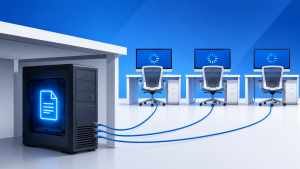
Why it runs fast for one person only
In most offices the company file is sitting on one person’s computer, usually the one in accounts or on the bookkeeper’s desk.
For that person it feels instant, because the file is local, but for everyone else the file has to be dragged across the network every time you open an invoice, run a report, or switch to multi-user mode.
You are not actually running multi-user hosting; you are sharing a file from a desktop that was never meant to be a server.
You will recognize this setup if the file path shows something like \\SARAH-PC\ or C:\Users\Sarah\Desktop\, if someone has to get out of the file before you can work, or if the file disappears when that one computer is turned off or its owner on holiday.
Why this setup always starts to break
A desktop computer is set up to save power, install updates when it wants to, and go to sleep, whereas a server is set up to stay on, stay available, and protect files.
When those two jobs get mixed you get the classic symptoms: multi-user mode fails, files get locked, reports take minutes, and the backup is only as good as whatever is on that one computer.
It gets worse with remote staff, because now a large company file is being pulled across a VPN connection that was never designed for database traffic.
Moving the file to Dropbox, OneDrive, or Google Drive does not fix it either. Those services sync files, whereas QuickBooks and Sage need a database manager running underneath. Putting a live company file in a sync folder is a fast way to corrupt it.
What proper hosting looks like
Proper hosting means the company file lives in one stable place with the database manager actually running.
Even with QuickBooks Online available, many businesses stay on Desktop Enterprise for inventory and reporting reasons, and that version still relies on a local company file that needs proper hosting.
That is typically a dedicated host computer that stays on, a small-business server, or a properly hosted cloud version where everyone logs in the same way. No single individual is the host by accident, and the file is not dependent on someone leaving their PC on overnight.
When it is set up this way everyone opens the file the same way, backups run from one central location with version history, and you do not have to take turns to get into your own accounts.
The hidden risk beyond the slowness
The bigger issue is not speed but risk.
If that one computer fails, is stolen, or the drive starts to fail, that is your entire financial history on one unprotected desktop. Most of the time there is no off-site copy and no version history, and no one else can access the file if the main user is away.
Month-end becomes a juggling act, not because QuickBooks is slow but because the business has built its bookkeeping around one machine.
Let's get this off one person's desk
This is usually a one-day project to put right.
It starts with checking where your company file actually lives today and how it is being shared. From there it can be moved to a proper host; the Database Server Manager can be configured correctly; a nightly backup with retention can be added; and remote access can be set up so it does not kill performance for everyone else.
If your team has to ask one person to get out of QuickBooks before anyone else can work, it is time to change how it is hosted.